
Email Tracker for Gmail: know the moment your email is read
by Linda, Storyteller & resident fika enthusiast
Läs på svenska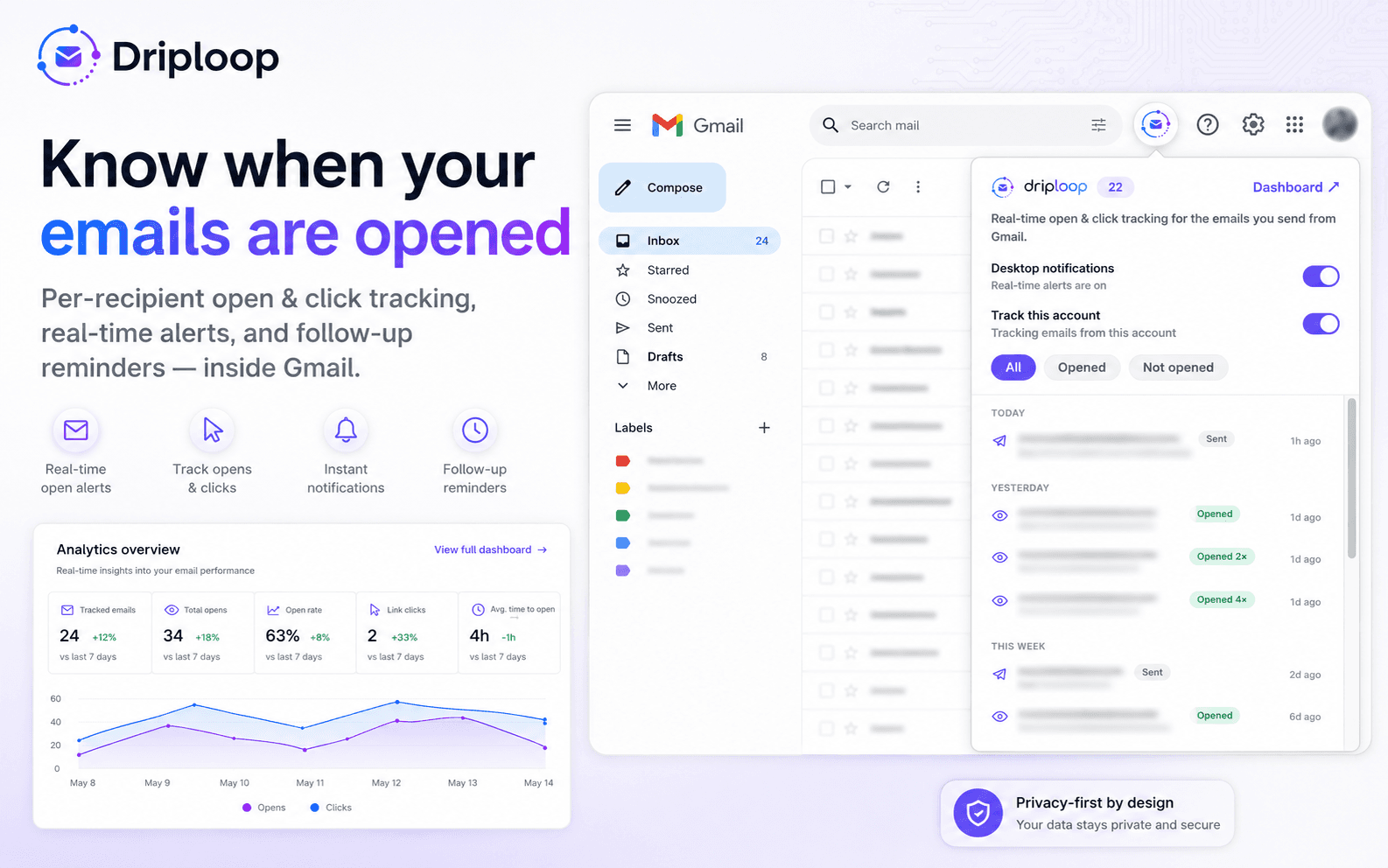
You spend twenty minutes getting an email exactly right — the one to the client, the recruiter, the person who could say yes. You hit send. And then… nothing. No reply. No sign of life. Did they read it and pass? Did it land in spam? Is it sitting unopened under forty other emails? You have no idea, so you sit there refreshing your inbox like it owes you money. I've done it. Most of us have.
That quiet, gnawing not-knowing is exactly what we built Email Tracker to fix. It's a free Gmail extension — part of Driploop — that quietly tells you the moment your email is opened, who opened it, and what they clicked. No new app to learn, no addresses copied into some separate tool. It lives right next to the inbox you already use.
Read receipts, without asking permission
Gmail has never really had proper read receipts for the rest of us. Email Tracker adds them the calm way: when you send, it attaches an invisible read receipt per recipient — nothing your reader sees, nothing to tick a box for. The moment they open it, you get a desktop notification. No refreshing, no guessing which follow-up is worth your time. You just know.
And because it's per recipient, group emails finally make sense. Send the same message to five people and you can see which three actually opened it — not one blurry "someone looked at this" for the whole thread. It even filters out false opens, so your own opens and the odd duplicate don't muddy the picture.
See what happens after send
Opens are half the story. Email Tracker also does click tracking, so if you dropped a link — a proposal, a booking page, your portfolio — you'll see whether they clicked through. You get a full open history too: timestamps, how many times it was opened, roughly where from. It's the difference between "I think they saw it" and knowing the proposal got opened three times on Tuesday afternoon, which is usually a good sign to pick up the phone.
The follow-up you'd have forgotten
Here's the bit I quietly love. Email Tracker nudges you to follow up — a gentle reminder at 24, 48, and 72 hours on the messages that went quiet. Not nagging, just a hand on the shoulder so the important email doesn't slide off the bottom of your to-do list. Most deals and replies aren't lost to a bad pitch; they're lost to a follow-up nobody sent. This closes that gap for you.
How it works
About as simple as it gets. Add the Chrome extension, connect your Gmail, and write your emails exactly as you always do. Tracking is on automatically — the invisible receipt goes out with every message, and opens and clicks show up in a live overview right there in your inbox. There's a dashboard when you want the bigger picture, but you never have to leave Gmail to get the answer you actually care about: did they read it?
Free, and a little bit us
Email Tracker is free to install and use, so there's no reason not to try it on your next important send. It's also cut from the same cloth as everything else we make — the same team that built HubKit and spends its days building apps for other people. We like tools that do one thing, do it quietly, and give you back a bit of calm. Knowing your email got read, instead of staring at the inbox hoping, feels like exactly that.
So next time you send the email that matters, don't sit there wondering. Add it to Chrome, hit send, and let it tell you when they've read it. Pour a coffee while you're at it. Hej, and good luck out there. ☕
Add Email Tracker to Chrome — free